
Plus qu'un logiciel — un partenaire de confiance
Chez iGoodar, nous croyons que les commerçants marocains méritent une solution sérieuse, installée professionnellement et soutenue réellement — pas juste une vente et au revoir.
Qualité garantie
Chaque appareil est soigneusement sélectionné et testé avant livraison. Nous ne vendons que ce en quoi nous avons confiance.
Installation professionnelle
Notre équipe vient dans votre commerce, installe et configure tout — vous n'êtes jamais laissé seul.
Formation jusqu'à votre aisance
Nous ne partons pas tant que vous n'êtes pas à l'aise avec le logiciel. Nous expliquons et répondons à chaque question.
Support 7j/7
WhatsApp ouvert tous les jours. Que ce soit un petit problème ou une question — notre équipe vous répond.
Données protégées
Vos données vous appartiennent. Avec Pro elles restent locales. Avec Connect elles sont sauvegardées sécurisément dans le cloud.
Relation sur le long terme
Nous ne vendons pas un logiciel et disparaissons. Nous construisons une relation — notre objectif est la croissance de votre commerce.
Choisissez la formule adaptée à votre commerce
Trois offres claires — chacune conçue pour un besoin différent.
Essayez avant de vous décider — démo gratuite
Données de test pour la caisse, le stock et le crédit. Sans engagement.
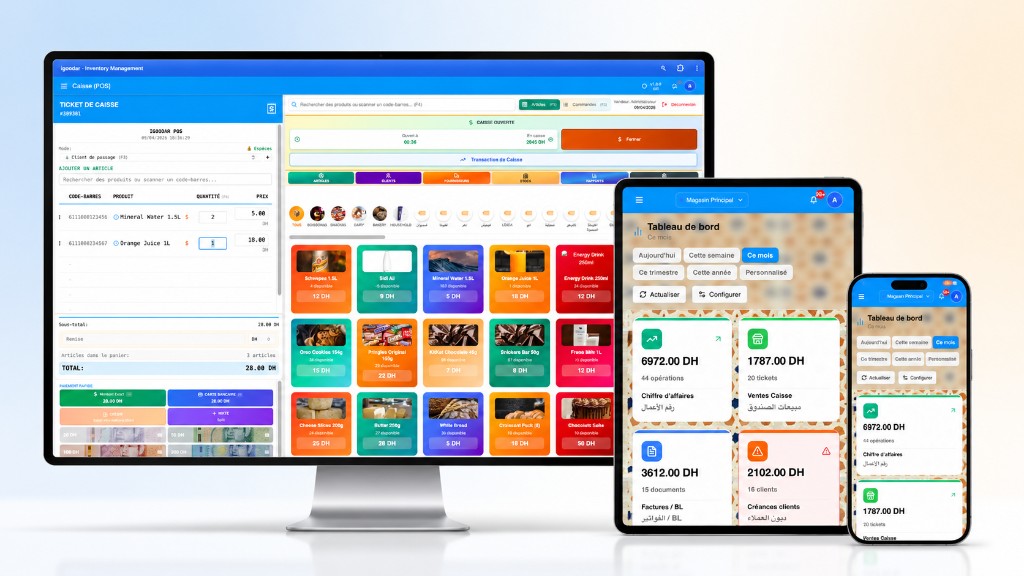
iGoodar Connect
Pour le commerçant qui veut suivre depuis n'importe où
Toutes les fonctionnalités iGoodar Pro + suivi depuis votre téléphone + données sauvegardées dans le cloud.
- Logiciel complet — caisse, stock, crédit
- Rapports en direct depuis votre téléphone
- Suivi des ventes et du stock à distance
- Accès multi-appareils
- Données sauvegardées — même si votre PC tombe en panne
- Support continu
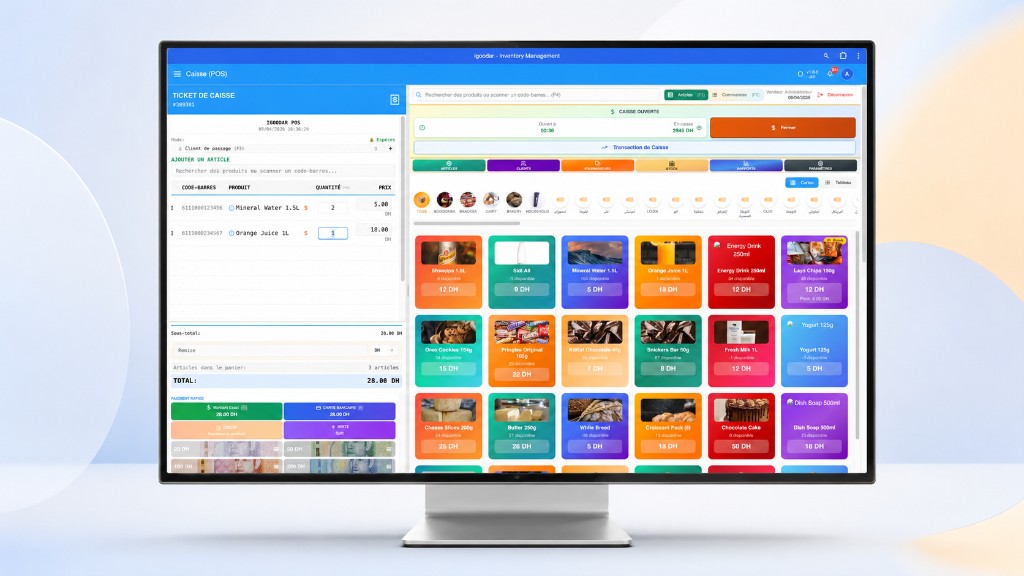
iGoodar Pro
Pour le commerçant qui veut maîtriser son commerce
Le logiciel complet pour gérer votre commerce — vôtre à vie, sans abonnement mensuel.
- Caisse / POS complet
- Gestion stock & inventaire
- Crédit client / Kounnach
- Rapports des ventes
- Vos données chez vous — locales et sécurisées
- Support de démarrage
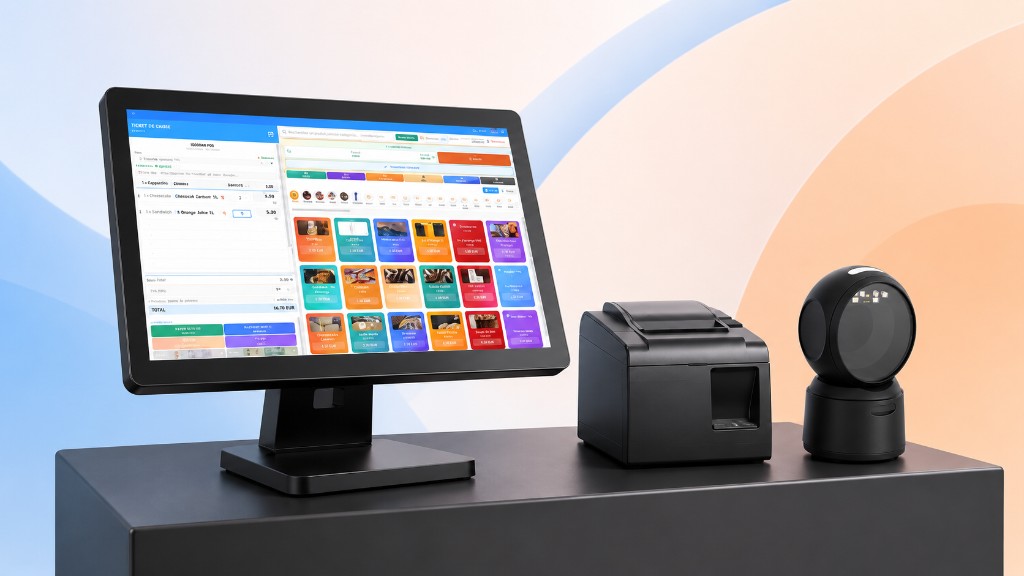
iGoodar Yan
Pour le commerçant qui veut démarrer dès le premier jour
Logiciel + matériel + installation + configuration. Vous n'avez plus qu'à travailler.
- iGoodar Pro complet
- Écran tactile 15,6 pouces
- Scanner code-barres configuré
- Imprimante thermique configurée
- Installation et configuration sur place
- Formation et support au démarrage
iGoodar Pro
Logiciel uniquement — paiement unique, vôtre à vie
iGoodar Connect
Logiciel + accès à distance — abonnement mensuel flexible
iGoodar Yan
iGoodar Yan — matériel + installation + formation
Comparaison détaillée des offres
Voyez exactement ce qui est inclus dans chaque offre avant de choisir.
| 💳 Caisse POS | |||
| Encaissement rapide — par scanner ou par nom du produit | |||
| Paiement en espèces, carte ou sur compte client | |||
| Impression ou réimpression du ticket à tout moment | |||
| Stock mis à jour automatiquement après chaque vente | |||
| Chaque caissier a son propre code PIN | |||
| 🧾 Factures & bons de livraison | |||
| Créer un bon de livraison ou une facture client | |||
| Sauvegarder en brouillon et confirmer quand vous voulez | |||
| Imprimer un document officiel avec votre logo | |||
| Avoir lors d'un retour — le stock revient automatiquement | |||
| 🧑💼 Gestion des fournisseurs | |||
| Liste de vos fournisseurs / vendeurs | |||
| Commandes et avoirs par fournisseur | |||
| Prix spécial par produit pour chaque fournisseur | |||
| Relevé de compte complet — payé et restant dû | |||
| 📦 Achats fournisseurs | |||
| Enregistrer les commandes fournisseurs et suivre leur statut | |||
| Le stock augmente automatiquement à la réception | |||
| Suivi des dettes et enregistrement des paiements par fournisseur | |||
| Avoir fournisseur lors d'un retour | |||
| Relevé de compte complet par fournisseur | |||
| 🏪 Stock & entrepôt | |||
| Connaître la quantité exacte à tout moment | |||
| Alerte en cas de rupture de stock | |||
| Transfert de stock entre entrepôts | |||
| Correction manuelle lors d'un inventaire | |||
| Télécharger le rapport de stock en PDF ou Excel | |||
| 📊 Rapports & chiffres | |||
| Résumé des ventes, dépenses et bénéfices en un instant | |||
| Les produits les plus vendus | |||
| Graphiques de performances dans le temps | |||
| Suivi des rapports depuis le téléphone à distance | Connect Optionnel | ||
| 👥 Clients & fournisseurs | |||
| Coordonnées de chaque client et fournisseur | |||
| Historique complet des achats et des ventes | |||
| Suivi des soldes et des paiements (crédit) | |||
| ☁️ Accès à distance & cloud | |||
| Données en local sur votre PC — entièrement les vôtres | |||
| Données sauvegardées dans le cloud — même si le PC tombe en panne | Connect Optionnel | ||
| Suivi du commerce depuis le téléphone ou de n'importe où | Connect Optionnel | ||
| 🖥️ Matériel & installation — iGoodar Yan | |||
| Écran tactile 15,6 pouces HD configuré | |||
| Scanner code-barres 2D omnidirectionnel configuré | |||
| Imprimante thermique 80mm WD8280 configurée | |||
| Installation et configuration complète en magasin | |||
| Formation et support au démarrage | |||
| iGoodar Connect | iGoodar Pro | iGoodar Yan | |
3 appareils professionnels — tout configuré, prêt à l'emploi
Pas besoin d'acheter quoi que ce soit ni de vous soucier de l'installation — nous préparons tout pour vous.
Cliquez sur un appareil pour voir les détails complets
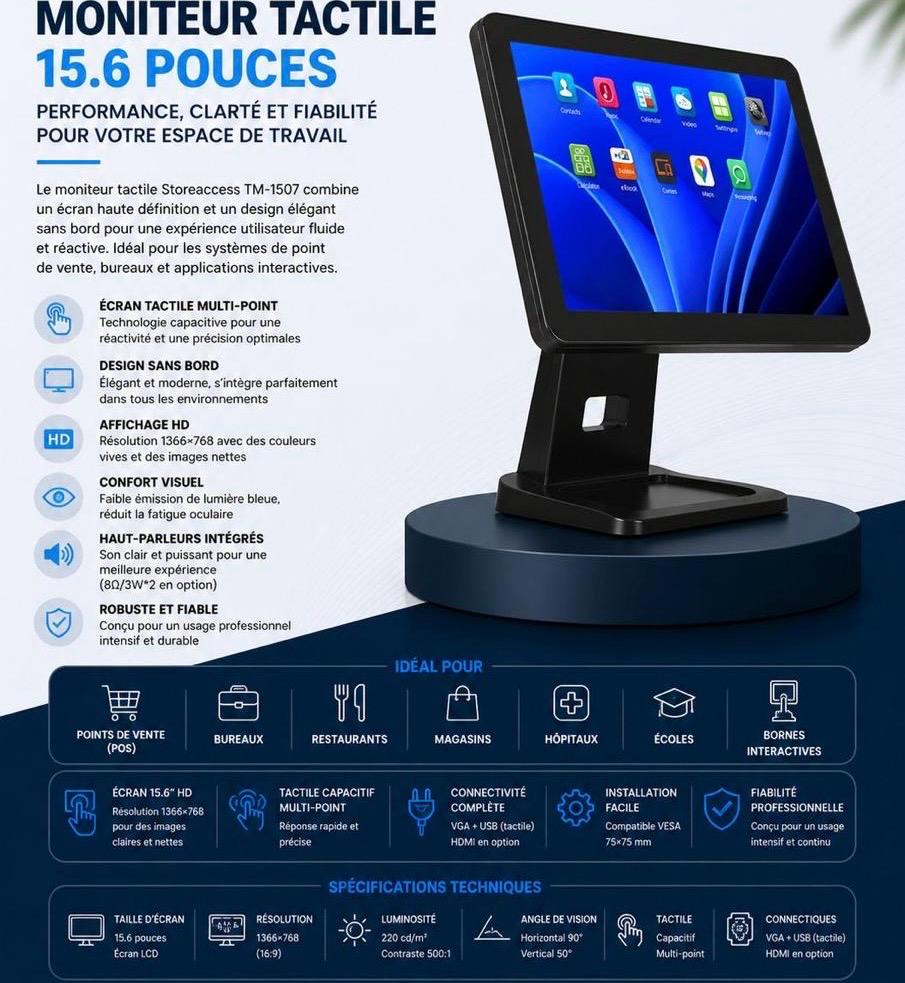
Moniteur Tactile 15.6"
Storeaccess TM-1507
Écran tactile professionnel pour POS — réponse instantanée à chaque touche
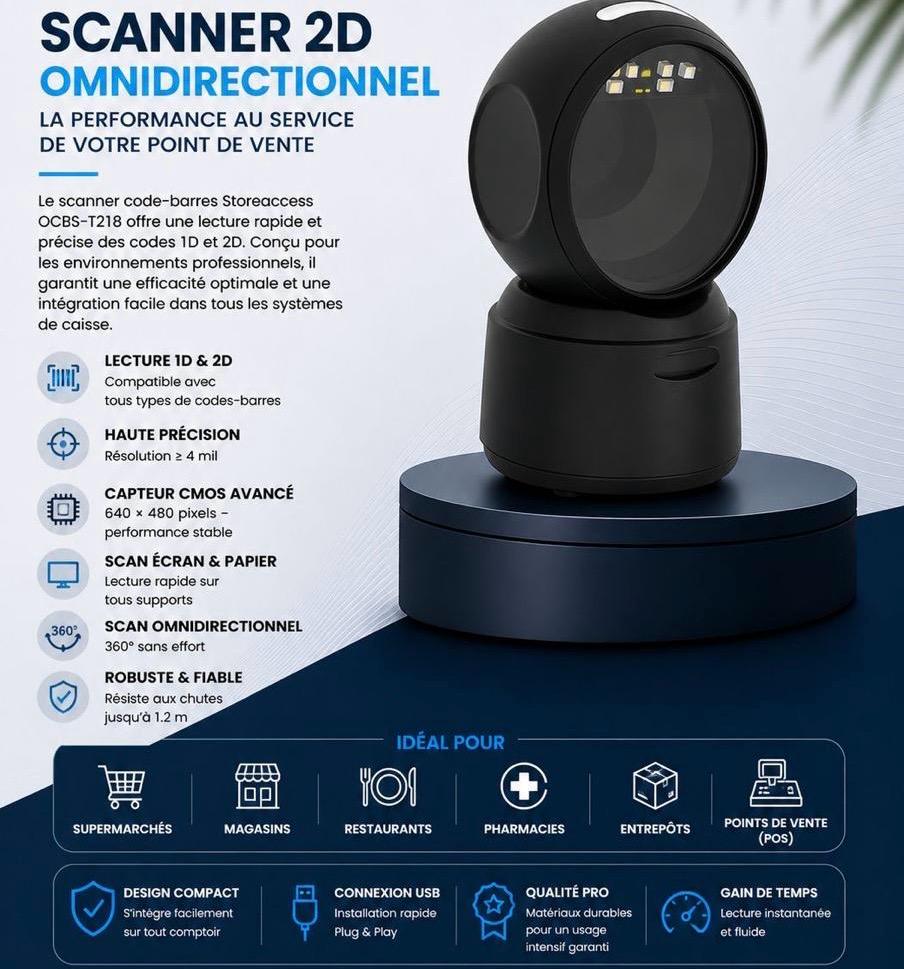
Scanner 2D Omnidirectionnel
Storeaccess OCBS-T218
Lecture instantanée de n'importe quel code-barres — sans alignement, sans effort
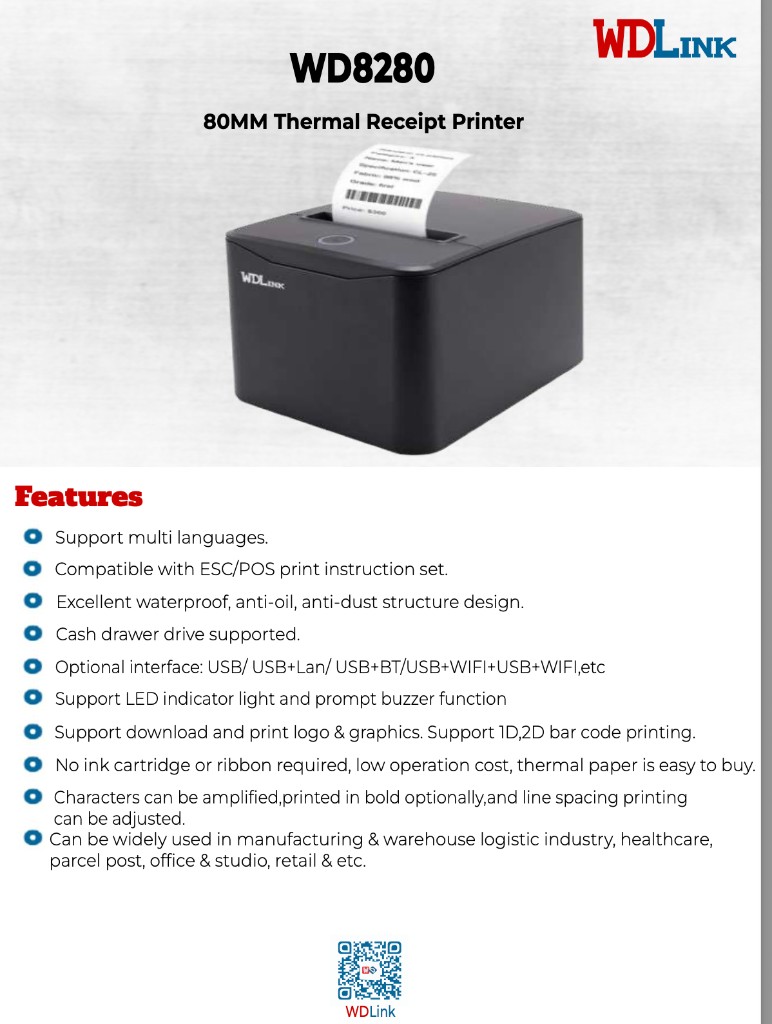
Imprimante Thermique 80mm
WDLink WD8280
Impression du ticket en une seconde — sans encre, sans entretien
⚠️ Le prix comprend le pack standard. Tout matériel spécial ou configuration avancée est facturé selon les besoins.
Besoin d'aide pour choisir ?
Notre équipe est disponible sur WhatsApp pour vous aider à choisir la solution adaptée à votre commerce.
Nous contacter sur WhatsApp